Verify Vector-LDMS Pipeline
This page provides verification steps for the Vector-LDMS pipeline that routes LDMS metrics from Kafka to VictoriaMetrics.
Prerequisites
- The Configure LDMS Telemetry procedure is complete, with Vector-LDMS bridge enabled.
- LDMS telemetry is configured and the
store_avro_kafkaplugin is producing to the Kafkaldmstopic.
Verify Vector-LDMS Telemetry Pods
-
Verify that the Vector-LDMS pod is running:
Run on K8s control planekubectl get pods -n telemetry | grep vector-ldms
-
Verify that the vmagent-vector pod is running:
Run on K8s control planekubectl get pods -n telemetry | grep vmagent-vector
-
Verify that the VictoriaMetrics service is running:
Run on K8s control planekubectl get service -n telemetry | grep vm
View LDMS Metrics in VictoriaMetrics UI (VMUI)
-
Note the External IP and port number of the VictoriaMetrics service.
-
Access the VMUI in a web browser:
https://<external vmselect loadbalancer IP>:8481/select/0/vmui -
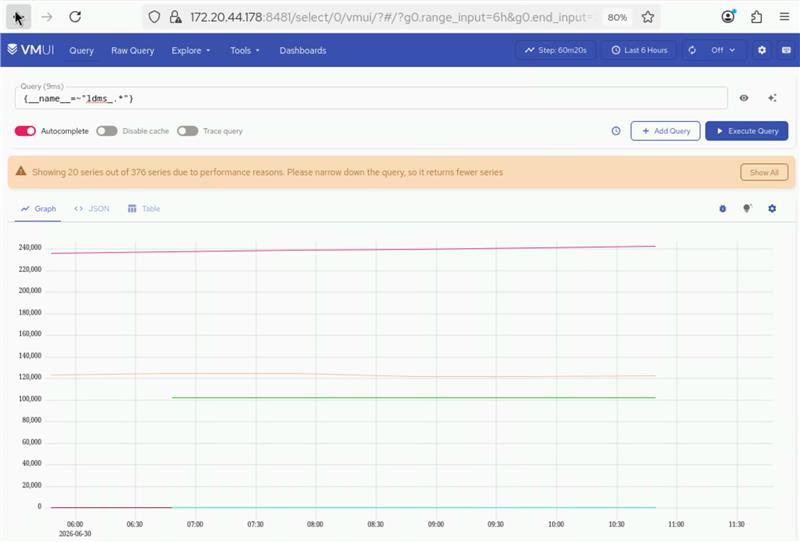
Verify that metrics are reaching VictoriaMetrics by querying the VMUI. For example, the following query displays LDMS-related metrics:
{__name__=~"ldms_.*"}