Configure VAST Storage
Build the VAST NFS repository and install the VAST client on cluster nodes. The VAST repository must be built from the official package, hosted on an HTTP server, and configured as a user repository in Omnia before provisioning.
Note
The VAST repository must be hosted on an HTTP server (such as Apache) before it can be used as a user repository in Omnia.
Prerequisites
Configure the following settings on the VAST Storage appliance before building the VAST repository:
-
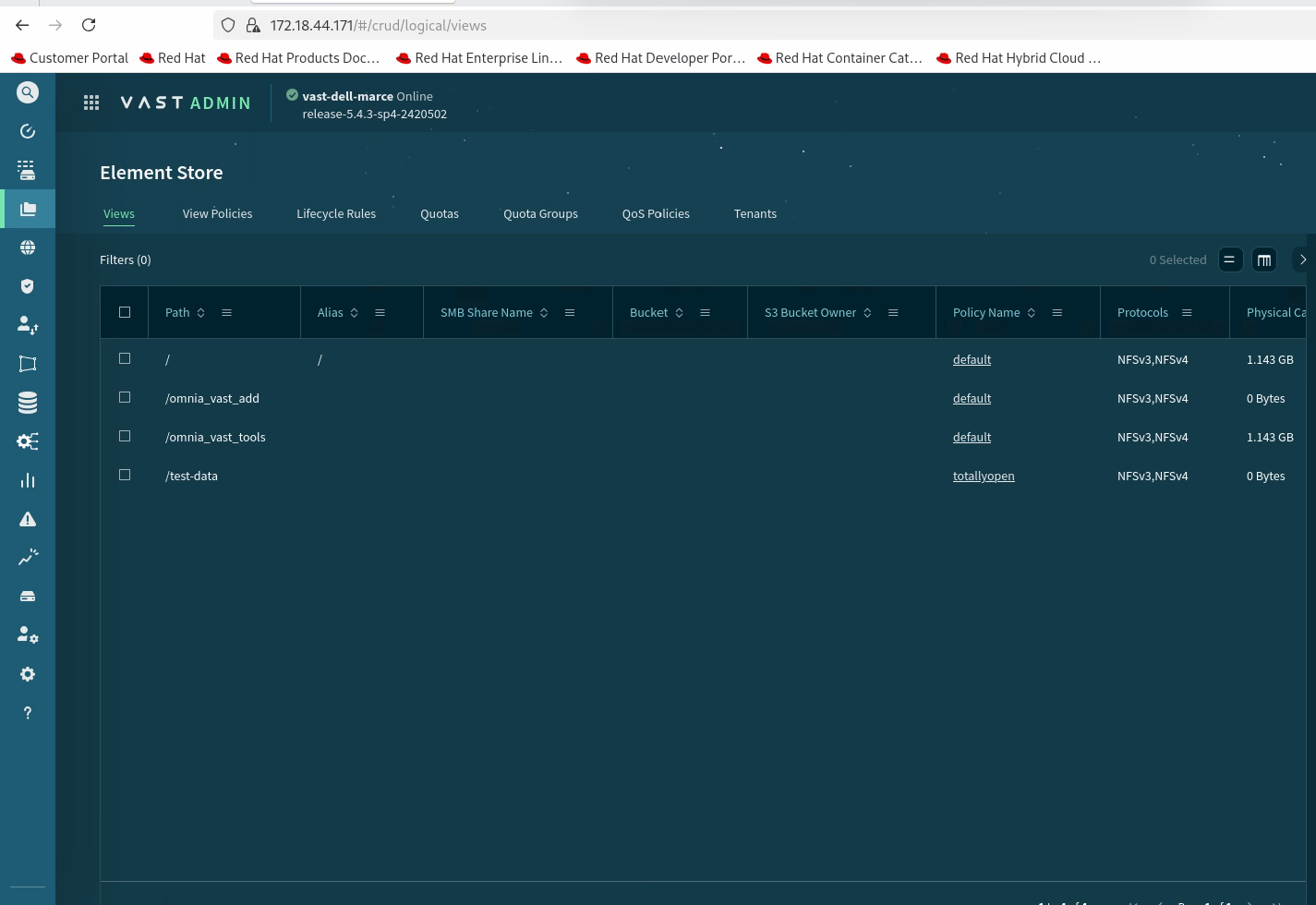
Log in to the VAST Dashboard and click on Element Store.
-
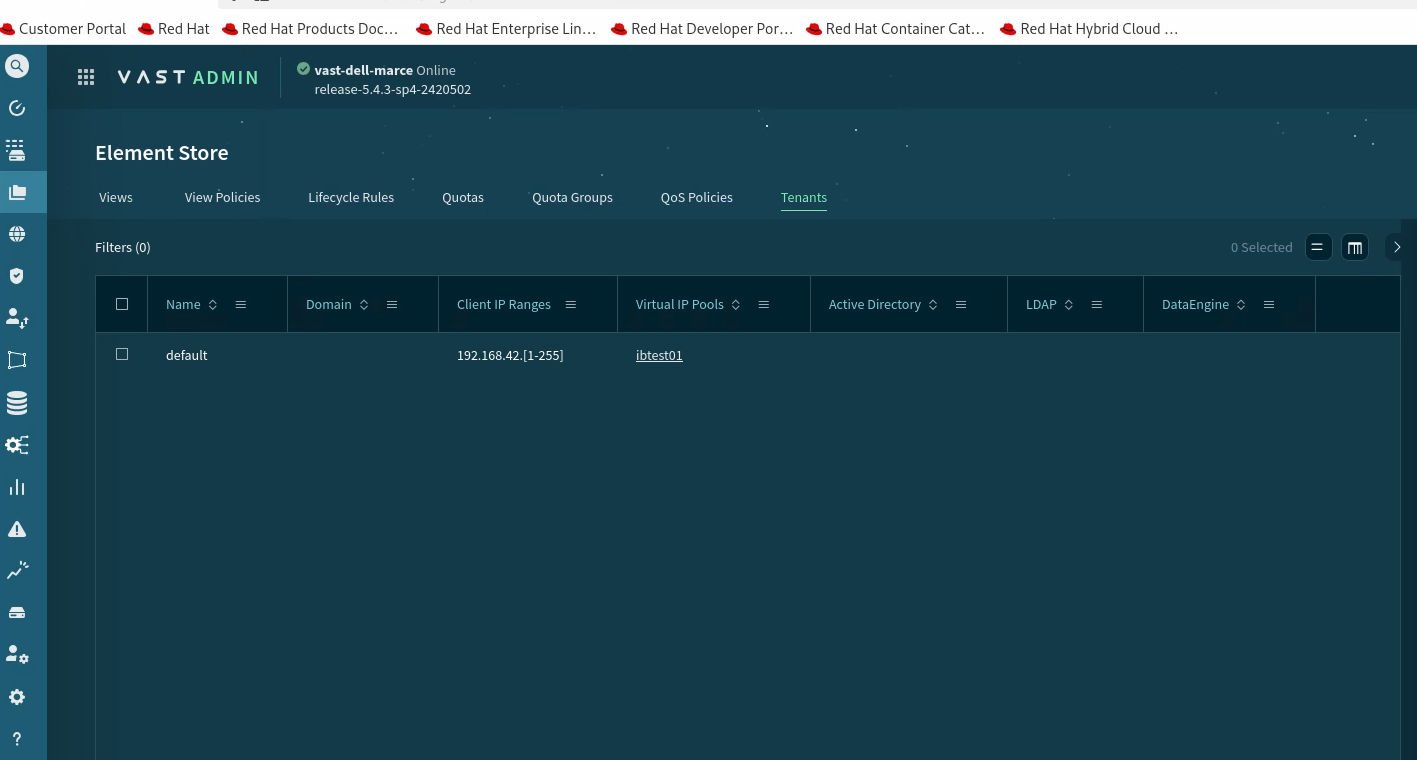
Configure Tenant -- Verify that a tenant is configured on the VAST Storage appliance.
-
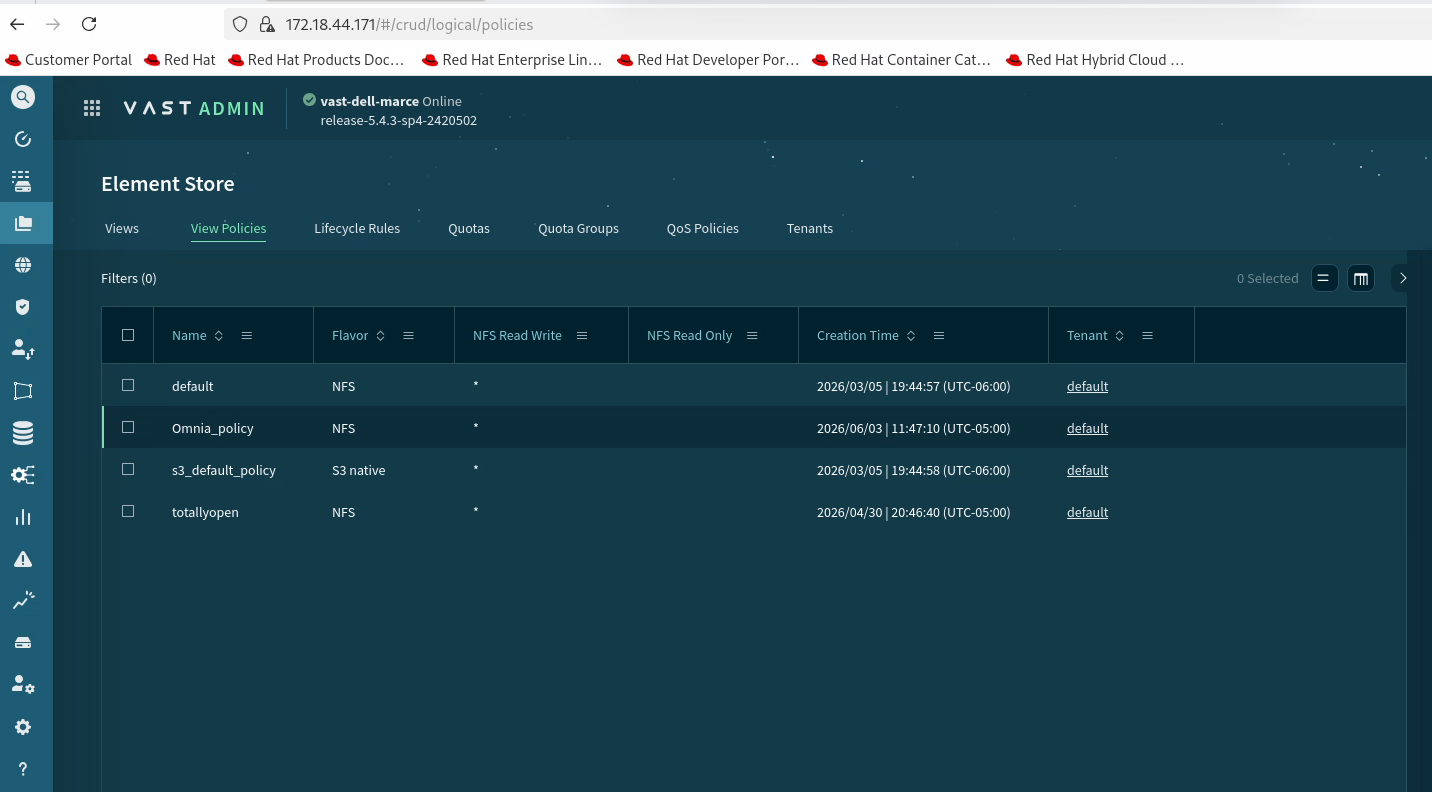
Configure Policies -- Verify that the required policies are configured.
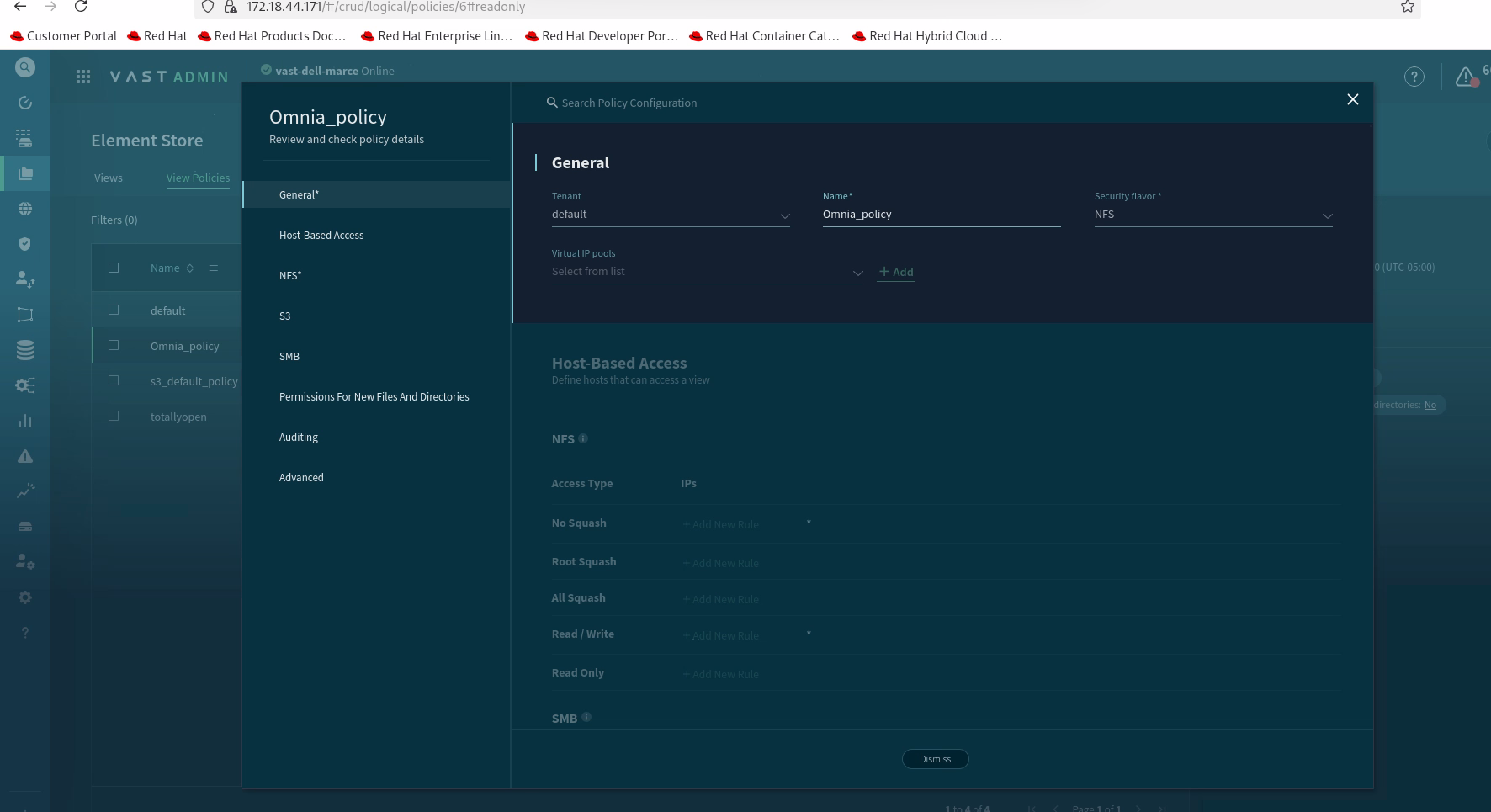
Verify the policy options are configured as follows:
-
Create New Configuration -- Right-click on the empty space to display the Create option.
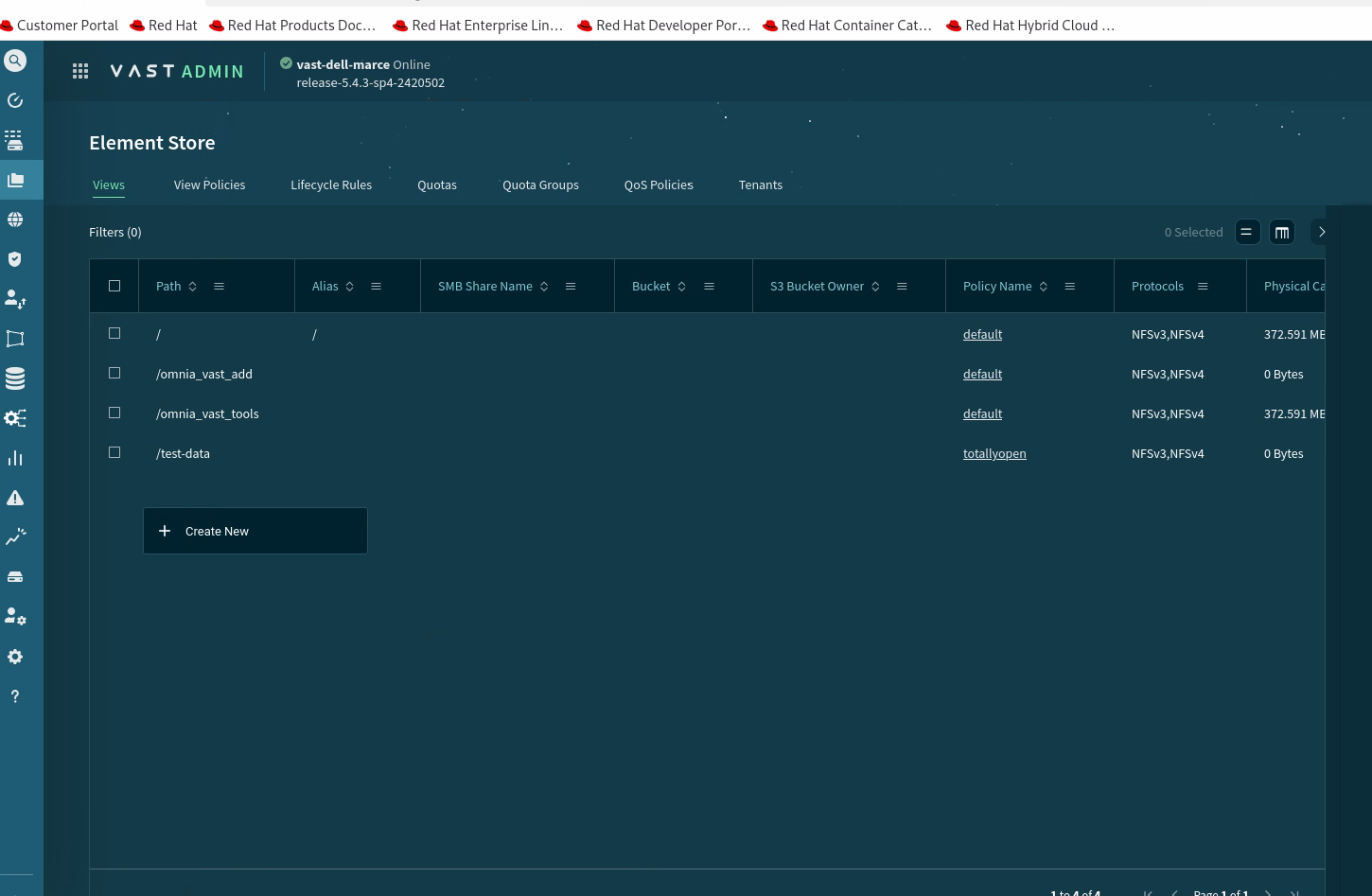
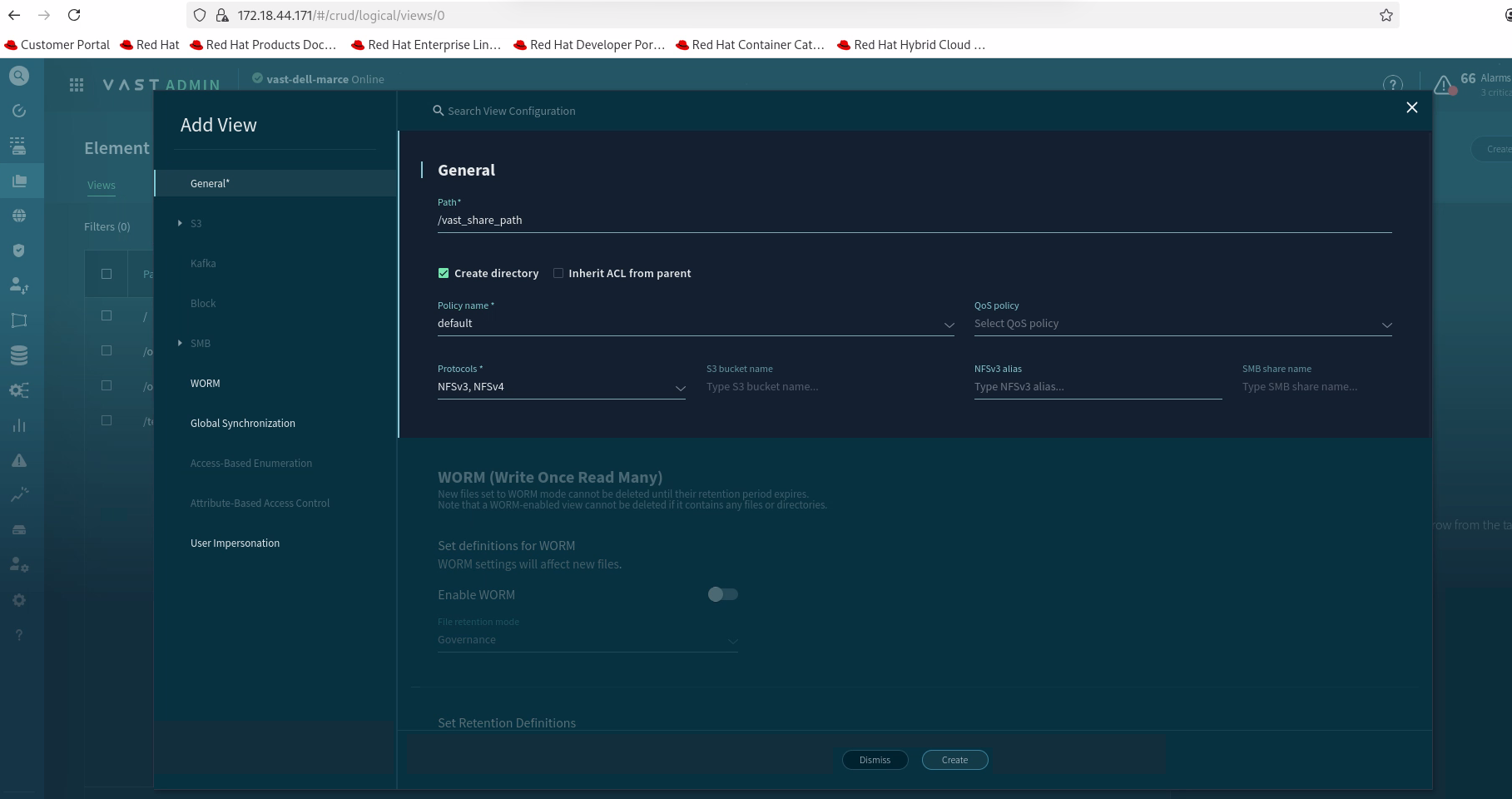
Click Create to complete the configuration.
Procedure
Step 1: Download VAST
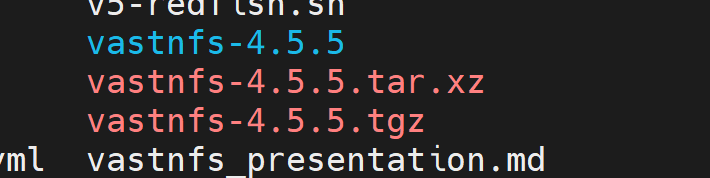
Download the VAST NFS package:
curl -sSf https://vast-nfs.s3.amazonaws.com/download.sh | bash -s -- --version 4.5.5
Step 2: Extract the package
Extract the downloaded tarball:
tar -xf vastnfs-4.5.5.tar.xz vastnfs-4.5.5/

Step 3: Build the VAST repository
Navigate to the extracted directory and build the repository:
cd vastnfs-4.5.5/
./build.sh bin

Once the build completes, the RPM files are created and ready to be hosted as a user repository. The VAST RPMs are located in the dist/ directory within vastnfs-4.5.5/.


========== Vast repo build completed ==========
Step 4: Host the RPMs on an HTTP server
Host the built RPMs on an HTTP server (such as Apache) that serves as your user repository. You can use the OIM host as the HTTP server.

========== Vast rpms hosted for user_Repo ==========
Tip
Refer to Create Local Repos for instructions on hosting repositories on the Apache server.
Step 5: Configure the user repository
Add the VAST user repository URL to the local_repo_config.yml file:
vi /opt/omnia/input/project_default/local_repo_config.yml
Add the HTTP URL where the VAST RPMs are hosted as a user repository entry.
Step 6: Run Omnia playbooks
Run the following playbooks in order:
local_repo-- Syncs the VAST repository to the local Pulp server.build_image-- Builds the cluster OS image with VAST client packages.provision-- Provisions nodes with the built image.
The VAST client is installed on the cluster nodes after the provision playbook completes successfully.
Next Steps
- Configure Mounts -- Configure NFS and other storage mounts.
- Configure PowerVault -- Configure block storage for additional performance.
Related References
- Create Local Repos -- Host and sync RPM repositories.
- Local Repo Config -- User repository configuration parameters.