Verify Telemetry Component Status
This section outlines the steps to verify that telemetry pods and services are running and attached to the telemetry namespace.
Note
For the list of iDRAC telemetry metrics collected by Kafka and VictoriaMetrics, see iDRAC Telemetry Reference Tools.
Verify Telemetry-Related Pods Are Running
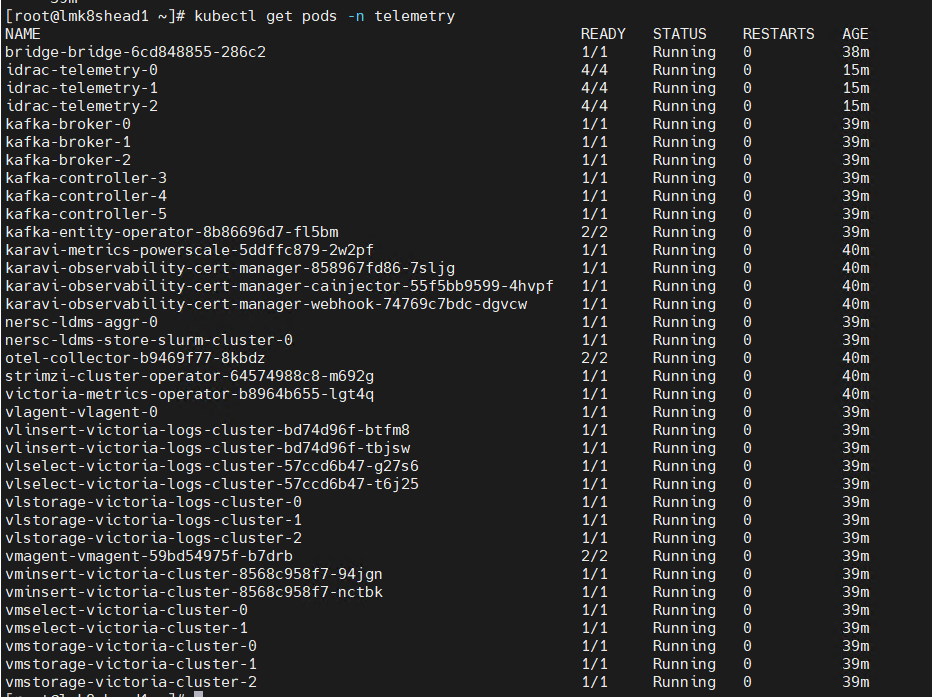
To verify that the iDRAC Telemetry, Kafka, LDMS, VictoriaMetrics, and VictoriaLogs pods are running, do the following:
Run the following command:
kubectl get pods -n telemetry
Ensure that the following pods are in a running state in the output:
iDRAC Telemetry pods
Kafka broker, controller, and operator pods
LDMS aggregator and store pods
VictoriaMetrics and vmagent pods
vmagent-vector pod
Vector-LDMS pod
Vector-OME pod
vlagent-vector pod
VictoriaLogs pods
PowerScale Telemetry pods
The following is the sample output file:
Verify Kubernetes Telemetry Services Attached to Telemetry
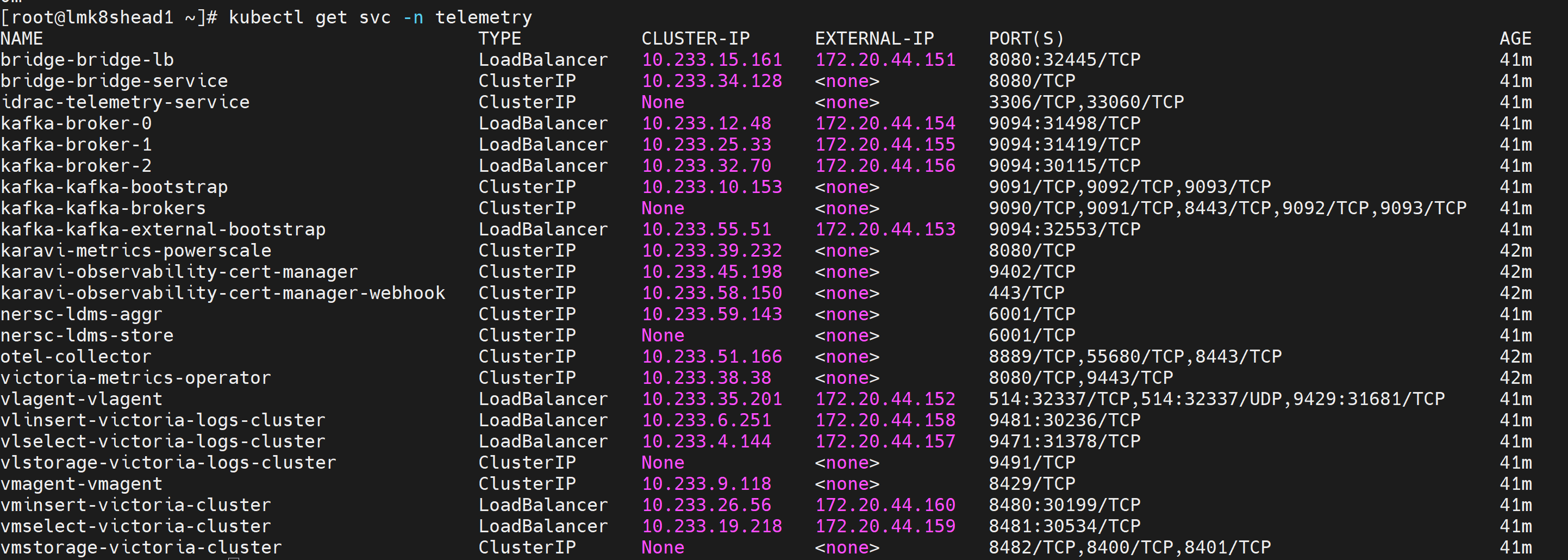
To verify Kubernetes telemetry services attached to the iDRAC Telemetry, Kafka, LDMS, VictoriaMetrics, and VictoriaLogs pods, do the following:
Run the following command:
kubectl get svc -n telemetry
Ensure the following service entries exist:
iDRAC Telemetry service
Kafka broker, controller (bootstrap), and bridge services
LDMS aggregator and store services
VictoriaMetrics service
vmagent-vector service
Vector-LDMS service
Vector-OME service
vlagent-vector service
VictoriaLogs service
PowerScale Telemetry service
The following is the sample output file:
If you have any feedback about Omnia documentation, please reach out at omnia.readme@dell.com.