Perform Cleanup Operations
BuildStream supports a maximum of 50 build images. When the build image count exceeds this limit, you must manually perform cleanup operations to remove old images before creating new ones.
Note
Do not cancel a running GitLab pipeline or stage. Cancellation prevents some pipeline steps from executing, which leaves the BuildStreaM job in an intermediate, inconsistent state. Note that backend BuildStreaM tasks already in progress will continue running to completion regardless of the cancellation.
Prerequisites
Before performing cleanup operations, ensure the following:
You have administrative access to the OIM
BuildStream API server is running
PostgreSQL database is accessible
Procedure
Navigate to the GitLab project URL:
https://<gitlab_host>:<gitlab_https_port>/root/<gitlab_project_name>
Navigate to Build → Pipelines.
Click New Pipeline.
In the Run new pipeline dialog box, enter the variable name as PIPELINE_TYPE and enter the value as cleanup.
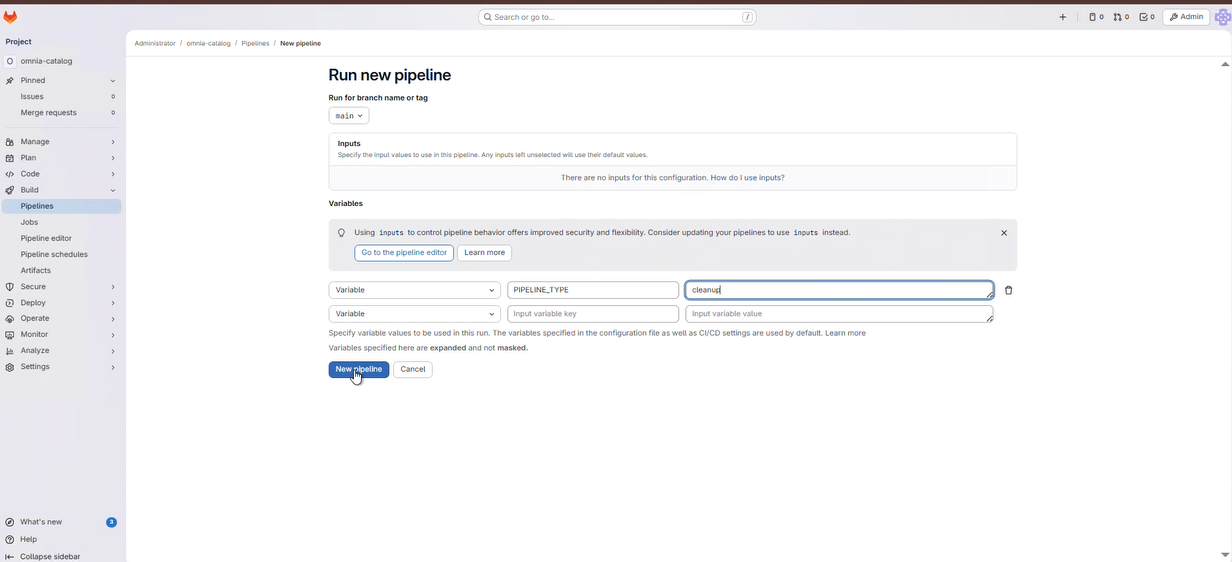
Click Run Pipeline to execute the cleanup pipeline.
In the pipeline, select the image to be cleaned up from the select_image stage.
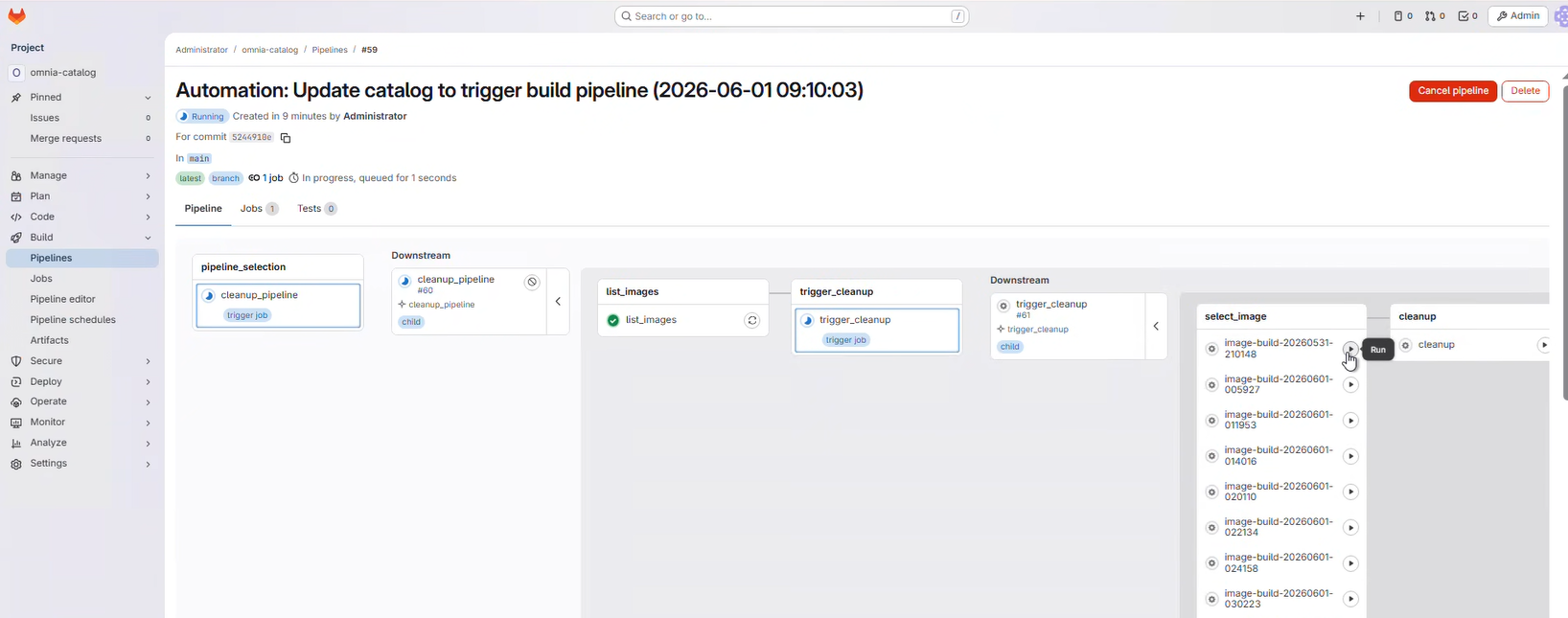
- alt:
GitLab Clean Select Image
Click the Play button on the cleanup stage to execute the cleanup.
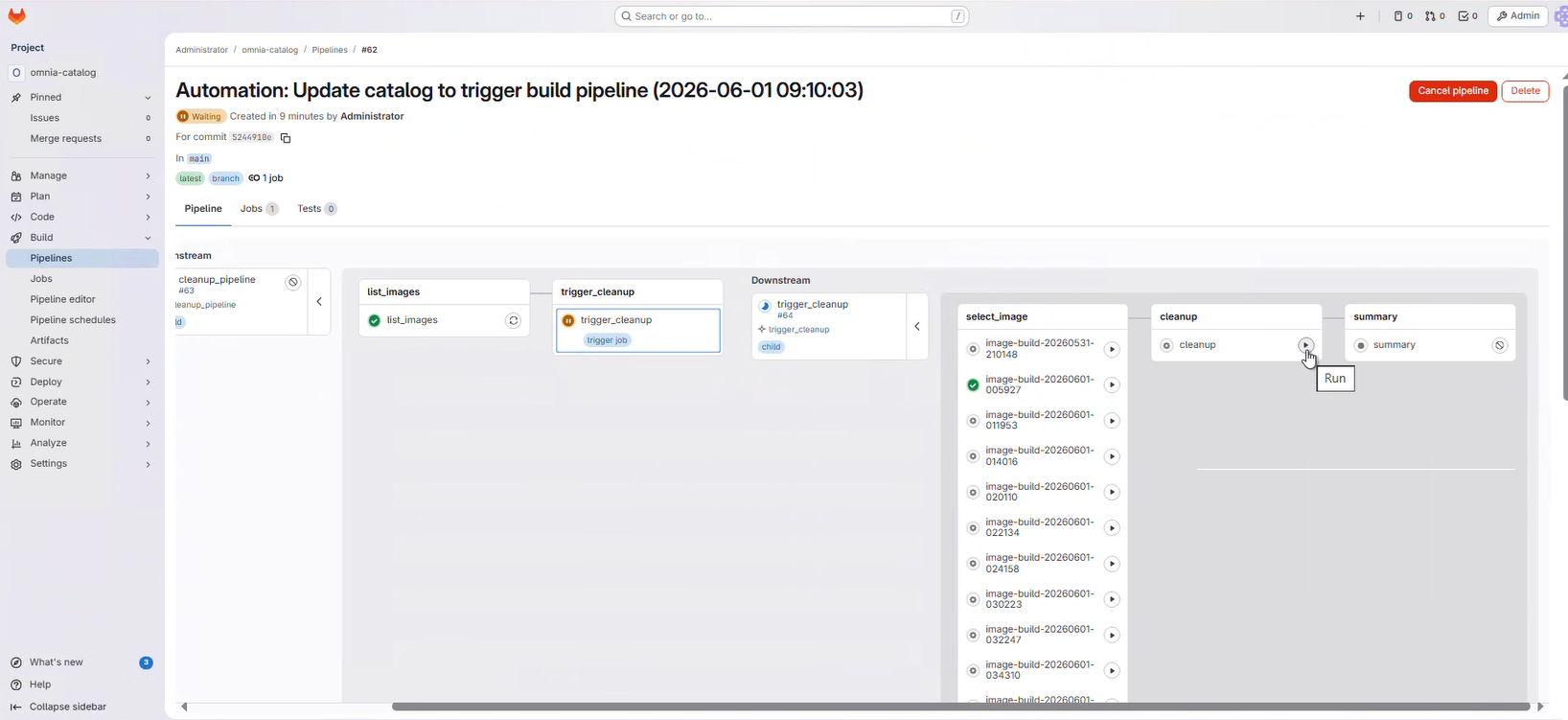
Monitor the pipeline progress through the GitLab web interface:
Click on the running pipeline to view details.
Monitor the cleanup stage as it progresses to completion.
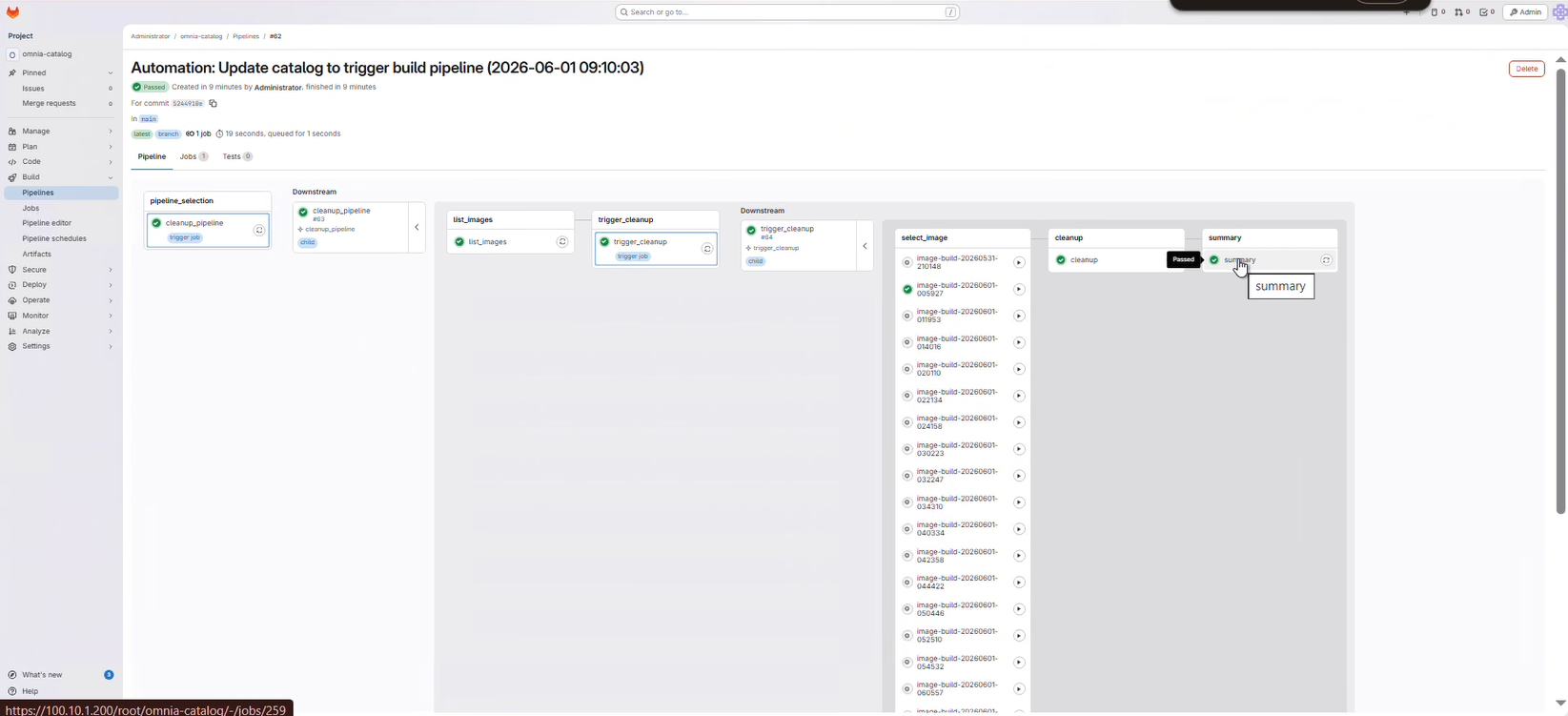
- Review the stage status indicators:
 Green checkmark: Stage completed successfully
 Red X: Stage failed (click for error details)
 Blue circle: Stage currently running
Verification
Check the GitLab pipeline status to ensure the cleanup stage passed.
Verify the Image Group count is within the configured retention limit.
Review the cleanup pipeline logs in GitLab for specific details about which Image Groups were removed.