Host the RPMS on the Apache server
Prerequisites
Make sure the server on which you want to host the repository is accessible from the OIM.
Update system packages.
dnf update -y
Install Apache (https).
dnf install -y httpd
Install createrepo.
dnf install createrepo
Start and enable Apache.
systemctl start httpd
systemctl enable httpd
Verify the HTTP status.
systemctl status httpd
The status should be Active.
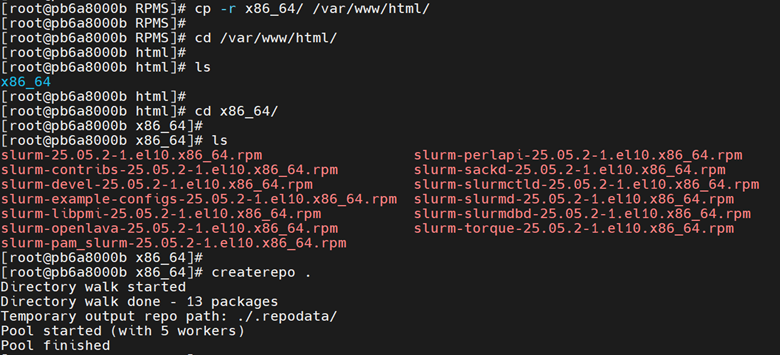
Create a directory and copy the RPMs to
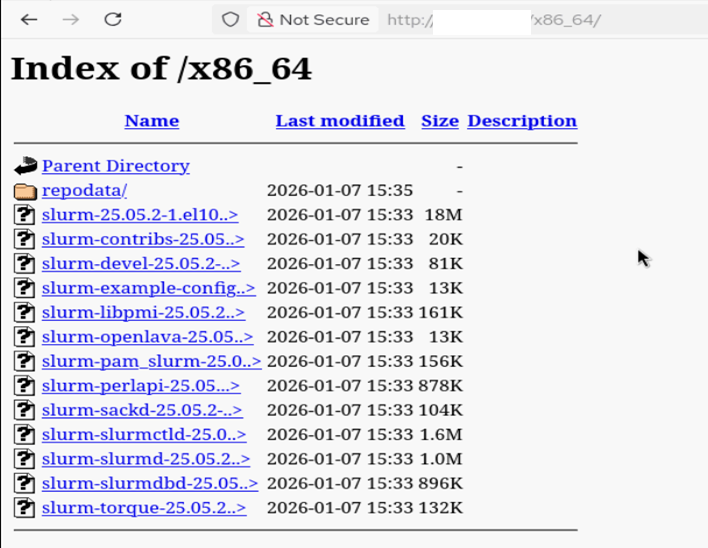
/var/www/html/<new_directory_name>, then navigate to that directory and run the command“createrepo .”,as shown in the image below.
If you want to host the repository in a custom port, do the following:
Open the file
/etc/httpd/conf/httpd.conf, find the ‘Listen’ parameter in the file, and then update the required port.cat /etc/httpd/conf/httpd.conf | grep Listen # Listen: Allows you to bind Apache to specific IP addresses and/or # Change this to Listen on a specific IP address, but note that if #Listen 12.34.56.78:80 Listen 8080
Run the command:
systemctl restart httpd
systemctl status httpd
If you have any feedback about Omnia documentation, please reach out at omnia.readme@dell.com.