Telemetry
⦾ Why is the telemetry playbook is failing at Kafka pod deployment?
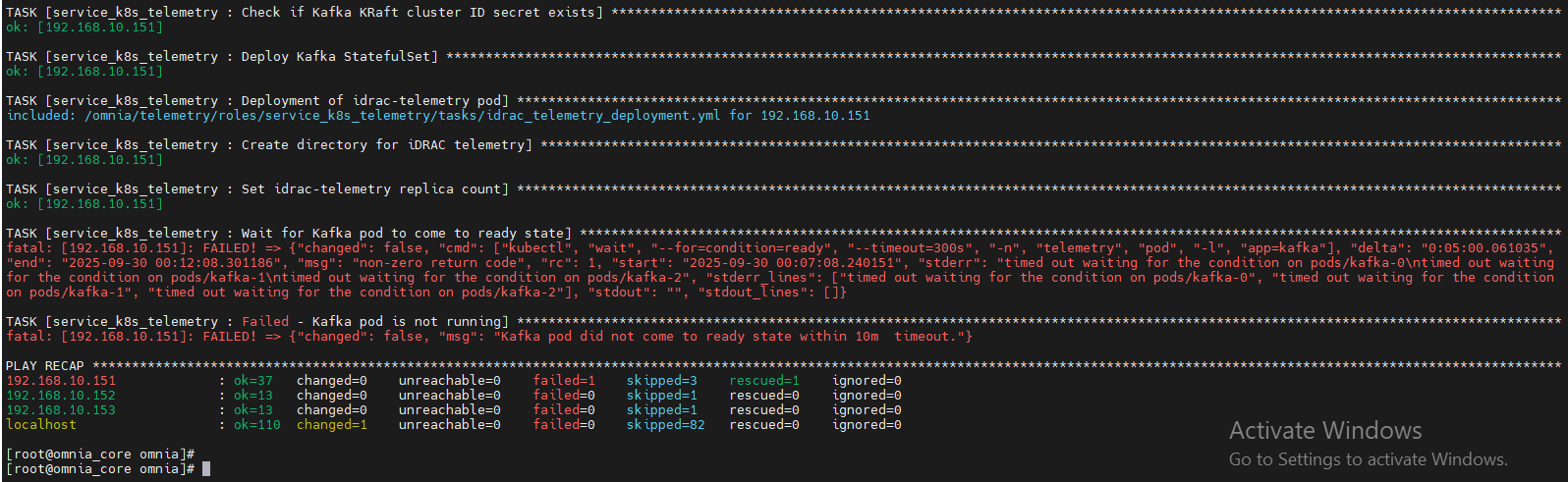
Potential Cause: No kube nodes are available in the service cluster for pod deployments.
Resolution: If this issue occurs during telemetry execution, check if the service kube nodes are booted and added to the service kube_control_plane.
⦾ Why do telemetry pods enter a CrashLoopBackOff state when PowerScale is configured as an NFS server?
Potential Cause: The CSI-PowerScale driver is not installed on the Kubernetes cluster nodes because the CSI driver entry is not present in the ``software_config.json``file. When PowerScale is used without CSI-based integration, Kubernetes treats the storage as a manual NFS mount, which is not supported by Omnia for telemetry workloads.
Resolution: Ensure that the following CSI-PowerScale driver entry is present in the software_config.json file:
{"name": "csi_driver_powerscale", "version": "v2.15.0", "arch": ["x86_64"]}
For more information on deploying the Dell CSI-PowerScale driver, see Deploy CSI drivers for Dell PowerScale Storage Solutions
⦾ Why do kafka telemetry pods enter a ``CrashLoopBackOff`` state and fail to retrieve telemetry with the error ``No space left on device``?
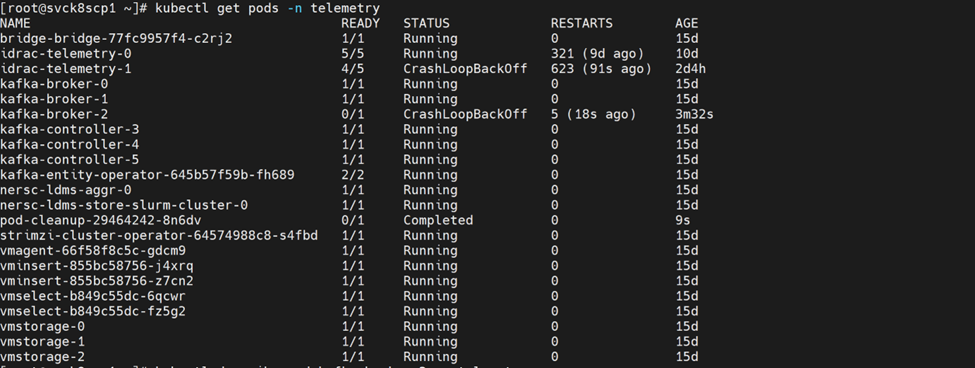
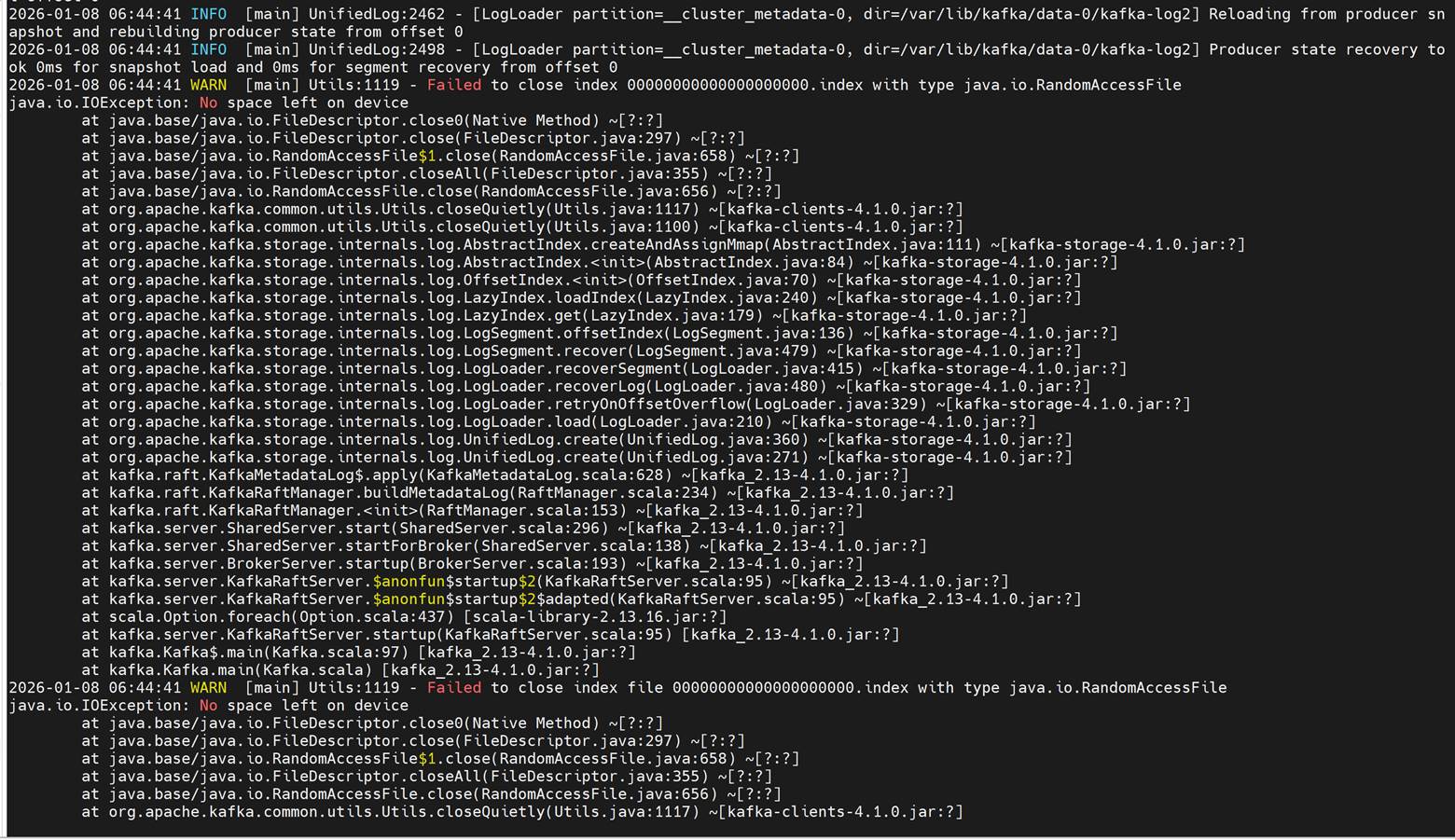
Potential Cause: This issue occurs when the configured persistence_size for Kafka reaches its capacity limit.
Resolution: The default 8Gi persistent volume size is suitable for small clusters (typically fewer than 5 nodes). For larger clusters, increase the persistence_size and configure Kafka retention settings log_retention_hours and log_retention_bytes so that old logs are deleted before the persistent volume reaches its limit. These settings should be based on your expected data volume and cluster size.
If you have any feedback about Omnia documentation, please reach out at omnia.readme@dell.com.